
Specifications
Size/Weight
Control Interface
Tone generator
Colour
Features
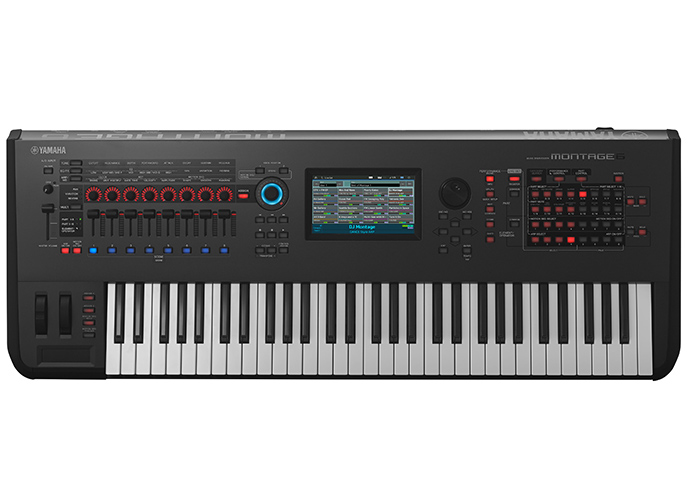
The MX series contains more than 1000 Voices derived directly from the world famous Yamaha MOTIF XS series. From realistic acoustic sounds like piano, electric piano, strings and drums to complex 8-element synth sounds, the MX has all of your favorite MOTIF XS Voices right at your fingertips. The MX even has a streamlined interface for instant hands-on selection of all those great Voices. The newly designed category selection makes it easier than ever to find the Voice you need. You can even edit and store your own sounds right onboard.
"FM Essential" is a synthesizer app for the iPhone and iPad that provides for real-time synth performances and also lets you edit voices.If you plug MX BK/BU series with iOS application "FM Essential", you can unlock and play all the function and Voices in app.You can see what FM Essential is at here.http://appstore.com/fmessential
Performance Mode on the MOTIFs has always been the place to find instant inspiration and the MX is no different. You can easily combine two Voices to play on the keyboard using the dedicated Split and Layer buttons each with their own intelligent arpeggiator and a dedicated Part for a drum track to create evocative Performances that feel like a whole band is playing. The 128 Performances on the MX are all user editable, but come programmed with the latest club friendly grooves.
Each Performance contains not only the three sounds described above, but all the settings for a complete 16-Part Multi setting for play. You can switch between any of the 16 Parts without the sound cutting off. With 128 notes of polyphony there are plenty of notes to play even the densest sequences from your DAW. These features make the MX the perfect tone generator solution for live performance and live playback of DAW MIDI tracks.
But the MX doesn't just control software DAWs and VSTs; it's an audio interface as well. Just connect a USB cable to your computer and you can monitor all the sounds from your computer via the headphone output of the MX or listen to your DAW tracks by connecting the MX to external studio monitors or PA gear. The audio converters on the MX are made for professional music applications so everything on your computer -- even games -- will sound better when using the MX as the output. The MX interface is bi-directional so you can record the internal sounds of the MX directly to your computer, without ever going to the analog domain, for the highest possible quality.
The MX also features solid knobs and durable buttons for controlling internal sounds, DAW parameters and VST instruments. The deceptively simple interface is combined with a remote template editor on your computer so any VST you own or any new VSTs you buy can be easily setup to be controlled by the MX. There are advanced integration templates for use with a variety of DAWs. When used with Cubase, there is even an AI knob so any parameter can be controlled by the large rotary encoder just by mousing over it. It's never been quicker to take full control of Cubase.
Gallery




Interested in Buying?
Get in touch or find a dealer near you to view this product
